2.4GHz vs 5GHz WiFi for B1G IPTV UK on Firestick (2026 Guide)
Streaming IPTV on a Firestick is supposed to be simple: install your app, connect to WiFi, press play, and enjoy. But if you’re using B1G IPTV UK and dealing with buffering, lag, or random drops in quality, your WiFi band might be the hidden problem—and understanding 2.4GHz vs 5GHz Firestick IPTV performance can make a big difference.
Most people don’t think twice when connecting to WiFi—they just pick whatever network shows up. But choosing between 2.4GHz and 5GHz can noticeably impact your streaming quality. That’s why knowing how 2.4GHz vs 5GHz Firestick IPTV works is essential if you want smoother playback and fewer interruptions.
So, which one should you use?
The answer isn’t as simple as “always pick 5GHz.” It depends on your setup, your home layout, and how you use your Firestick. Getting the best results often comes down to optimizing 2.4GHz vs 5GHz Firestick IPTV based on your environment.
Understanding 2.4GHz vs 5GHz WiFi
Before choosing the right option, it helps to understand what these two bands actually do.
What is 2.4GHz WiFi?
2.4GHz is the older and more widely used WiFi frequency. It’s been around for years and is supported by virtually every device.
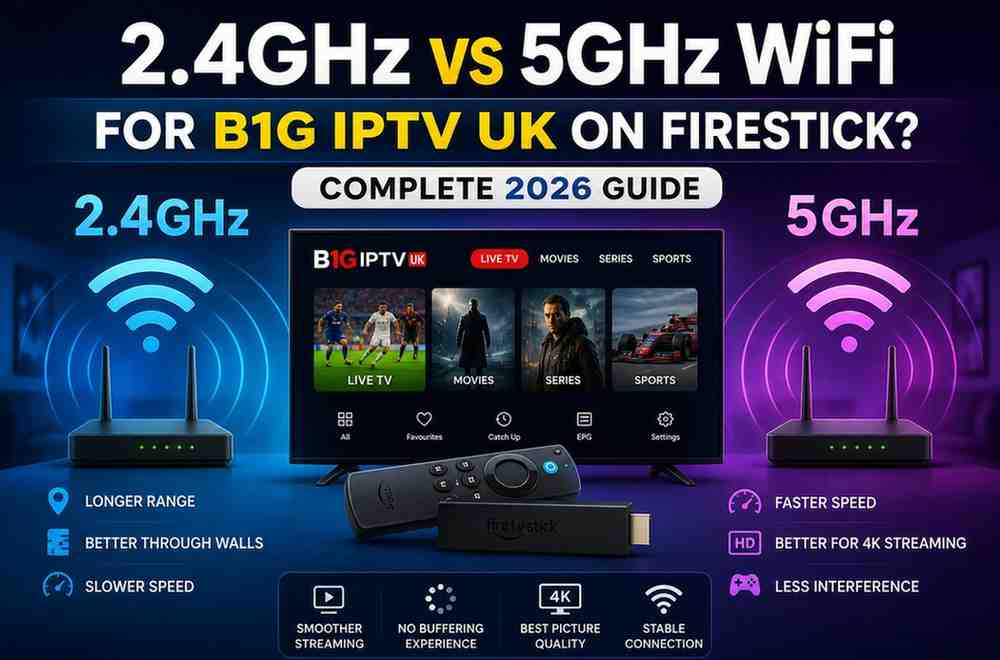
Key Characteristics:
- Longer range
- Better wall penetration
- Slower speeds
- More interference from other devices
Think of 2.4GHz as a “long-distance runner”—it can travel far, but it’s not very fast.
What is 5GHz WiFi?
5GHz is the newer, faster WiFi band designed for high-speed activities like streaming, gaming, and video calls.
Key Characteristics:
- Much faster speeds
- Lower latency
- Shorter range
- Struggles through walls
5GHz is more like a “sprinter”—fast and powerful, but it needs to stay close to the router.
Why WiFi Band Matters for B1G IPTV UK
When you’re streaming IPTV, especially live TV or HD/4K channels, your connection needs to be:
- Stable
- Fast
- Consistent
Unlike browsing or social media, IPTV streams in real time. That means even small interruptions can cause:
- Buffering
- Freezing
- Quality drops
- App crashes
And this is exactly where your WiFi band plays a major role.
2.4GHz for B1G IPTV UK: Pros and Cons
Let’s start with 2.4GHz.
Advantages of 2.4GHz
1. Better Coverage Across Your Home
If your Firestick is in another room or far from your router, 2.4GHz can maintain a stronger signal.
2. Works Well Through Walls
Concrete walls, furniture, and floors don’t affect 2.4GHz as much as 5GHz.
3. More Stable in Weak Signal Areas
Even if the speed isn’t high, it stays connected longer.
Disadvantages of 2.4GHz
1. Slower Speeds
This is the biggest drawback. IPTV—especially HD or 4K—needs speed.
2. High Interference
2.4GHz is crowded. Devices like:
- Bluetooth gadgets
- Microwaves
- Other WiFi networks
…all compete on the same frequency.
3. Can Cause Buffering
When too many devices share the same band, IPTV performance drops.
When Should You Use 2.4GHz?
Use 2.4GHz if:
- Your Firestick is far from the router
- You have multiple walls between devices
- 5GHz signal keeps dropping
- You only stream in SD or HD (not 4K)
5GHz for B1G IPTV UK: Pros and Cons
Now let’s talk about 5GHz—the preferred choice for most users.
Advantages of 5GHz
1. Faster Streaming Speeds
Perfect for:
- HD channels
- 4K streaming
- Live sports
2. Lower Latency
Less delay means smoother playback and faster channel switching.
3. Less Interference
Fewer devices use 5GHz, so your connection is cleaner.
Disadvantages of 5GHz
1. Shorter Range
If your Firestick is far from the router, the signal weakens quickly.
2. Poor Wall Penetration
Walls and obstacles can reduce signal strength significantly.
3. Connection Drops
If the signal isn’t strong enough, you may experience disconnections.
When Should You Use 5GHz?
Use 5GHz if:Your Firestick is in the same room as the router
- You want buffer-free HD or 4K streaming
- You have a strong signal
- Your internet speed is high (20 Mbps or more recommended)
2.4GHz vs 5GHz: Which is Better for B1G IPTV UK?
Here’s the honest answer:
5GHz is better for performance
BUT
2.4GHz is better for stability at distance
So the “best” option depends on your situation.
Quick Comparison
| Feature | 2.4GHz | 5GHz |
| Speed | Slower | Faster |
| Range | Longer | Shorter |
| Interference | High | Low |
| IPTV Performance | متوسط (okay) | Excellent |
| Best Use Case | Far distance | Close proximity |
Best Choice for Firestick Users (Simple Answer)
If you want a quick recommendation:
Use 5GHz if your router is close
Use 2.4GHz if your signal is weak
That’s it.
Real-World Scenarios
Let’s make this practical.
1: Router in Same Room
- Go with 5GHz
- You’ll get smooth streaming with no buffering
2: Router One Room Away
- Try 5GHz first
- If buffering starts, switch to 2.4GHz
3: Router Far Away
- Use 2.4GHz
- Or consider a WiFi extender
How to Switch Between 2.4GHz and 5GHz on Firestick
Switching is easy:
- Go to Settings
- Select Network
- Choose your WiFi network
- Pick either:
- Network name (2.4GHz)
- Network name (5GHz)
Many routers label them like:
- HomeWiFi
- HomeWiFi_5G
Tips to Improve B1G IPTV Streaming Performance
Regardless of which band you choose, these tips will help.
1. Move Your Router Closer
Distance is the biggest enemy of 5GHz.
2. Reduce Interference
Keep your router away from:
- Microwaves
- TVs
- Metal objects
3. Restart Your Router Regularly
A quick restart can fix many hidden issues.
4. Use Ethernet (Best Option)
If possible, use an Ethernet adapter for Firestick. This eliminates WiFi problems completely.
5. Limit Connected Devices
Too many devices = slower speeds.
Common Mistakes People Make
1. Always Choosing 5GHz Without Checking Signal
Fast doesn’t matter if the connection is unstable.
2. Ignoring Router Placement
Even the best WiFi won’t work if your router is poorly placed.
3. Blaming IPTV Service First
Sometimes the issue isn’t B1G IPTV UK—it’s your network.
Does Internet Speed Matter Too?
Absolutely.
Even with the best WiFi band, slow internet will cause buffering.
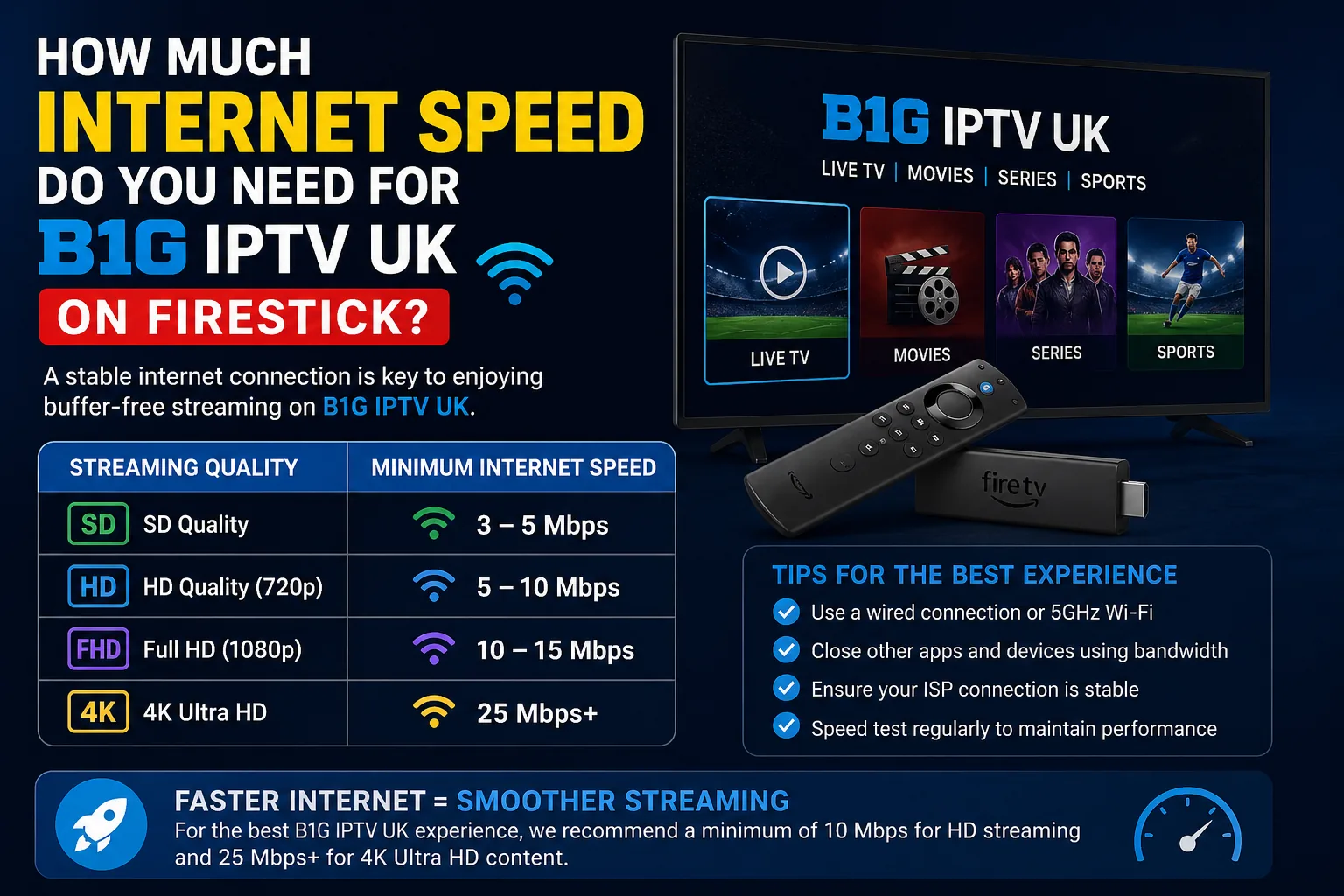
Recommended Speeds:
- SD streaming: 5–10 Mbps
- HD streaming: 10–20 Mbps
- 4K streaming: 25+ Mbps
Best Setup for Buffer-Free IPTV (2026)
If you want the ultimate setup:
- Use 5GHz WiFi
- Keep Firestick near router
- Internet speed above 25 Mbps
- Minimal connected devices
- Optional: Ethernet adapter
This combination gives the best experience possible.
Final Verdict
So, should you use 2.4GHz or 5GHz for B1G IPTV UK on Firestick?
Go with 5GHz if:
- You’re close to the router
- You want the best quality streaming
- You’re watching HD or 4K
Go with 2.4GHz if:
- Your Firestick is far away
- Signal strength is weak
- You prefer stability over speed
Bottom Line
There’s no one-size-fits-all answer—but for most people:
5GHz = Best performance
2.4GHz = Better coverage
The smart move is to test both and see which one works better in your home.
Because at the end of the day, the “best” WiFi is the one that gives you smooth, uninterrupted streaming.