Why B1G IPTV UK Freezes on Firestick (Fast Fix Guide)
Streaming your favorite channels should feel effortless. But when your B1G IPTV UK starts freezing on your Firestick, it quickly becomes frustrating. One moment you’re enjoying a live match or movie, and the next—everything stops, buffers, or crashes.
If you’re dealing with constant freezing, you’re not alone. This is one of the most common issues IPTV users face, especially on Firestick devices. The good news? Most freezing problems are easy to fix once you understand what’s causing them.
In this guide, we’ll break down why B1G IPTV UK freezes on Firestick, what triggers it, and how to fix it step-by-step for a smooth streaming experience.
What Does “Freezing” Actually Mean in IPTV?
Before diving into causes, it’s important to understand what “freezing” includes:
- Video stops while audio continues (or vice versa)
- Screen gets stuck on one frame
- Continuous buffering circle
- App crashes or restarts
- Streams lag behind live broadcast
All of these issues point to interruptions in data flow between your IPTV server and your Firestick.
Main Reasons Why B1G IPTV UK Freezes on Firestick
Let’s break down the most common causes.
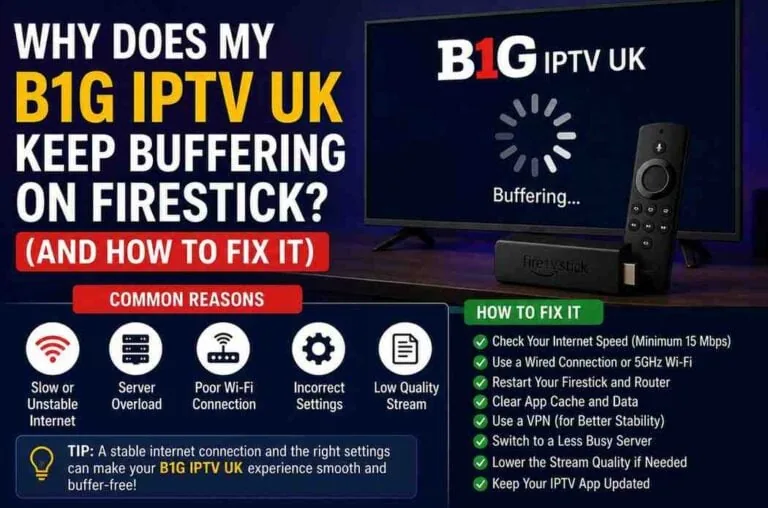
1. Slow or Unstable Internet Connection
The number one cause of IPTV freezing is poor internet speed.
IPTV relies on a steady stream of data. If your connection drops—even briefly—your stream will freeze.
Recommended Speeds:
- SD Streaming: 10 Mbps
- HD Streaming: 20 Mbps
- 4K Streaming: 30–50 Mbps
Even if your internet seems “fast,” instability (packet loss, jitter) can still cause freezing.
2. Wi-Fi Signal Issues
Firestick devices often rely on Wi-Fi, which can be unreliable due to:
- Distance from router
- Thick walls or interference
- Multiple devices using the same network
Weak signals lead to buffering and freezing.
3. Overloaded IPTV Servers
Sometimes the problem isn’t on your end.
If too many users are streaming at once (especially during live sports), the IPTV server may struggle, causing:
- Freezing
- Lag
- Channel loading failures
4. Low Firestick Storage
Firestick devices have limited storage. When it fills up:
- Apps slow down
- Streams freeze
- System performance drops
Even a few hundred MB of free space can make a difference.
5. Cache Overload
Apps like IPTV players store temporary data (cache). Over time, this builds up and can cause:
- Freezing
- Crashes
- Slow loading
6. Outdated IPTV App or Firestick Software
Running outdated software can cause compatibility issues, bugs, and freezing problems.
7. VPN Issues
Using a VPN can sometimes slow down your connection, especially if:
- You connect to a distant server
- The VPN is overloaded
- The VPN speed is low
However, in some cases, a VPN actually improves performance by bypassing ISP throttling.
8. Device Overheating
Firestick devices can overheat if used continuously or placed in tight spaces.
Overheating leads to:
- Performance drops
- App crashes
- Freezing streams
9. Background Apps Running
Firestick doesn’t fully close apps. Multiple apps running in the background can consume RAM and cause freezing.
10. Poor IPTV Player Configuration
Sometimes, the issue isn’t B1G IPTV UK—it’s the IPTV player settings.
Incorrect buffer size, decoder settings, or stream format can cause freezing.
How to Fix B1G IPTV UK Freezing on Firestick
Now let’s solve the problem step by step.
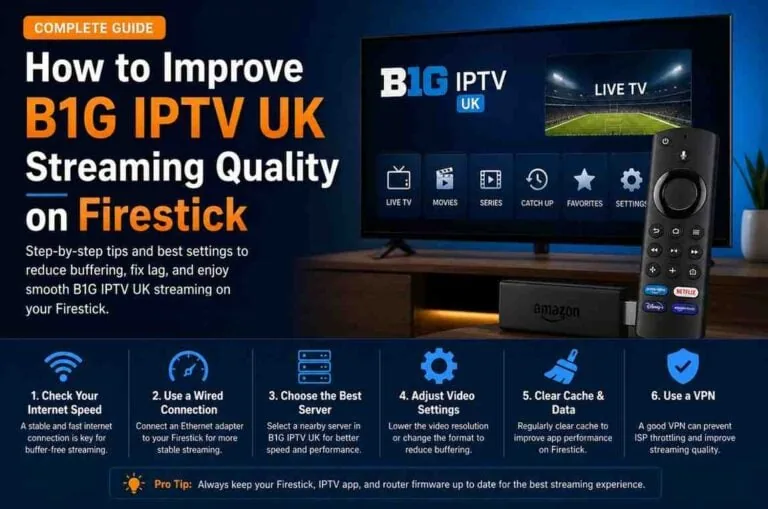
1. Check Your Internet Speed
Run a speed test directly on Firestick or another device.
If speeds are below recommended levels:
- Upgrade your plan
- Restart your router
- Disconnect unused devices
2. Use Ethernet Instead of Wi-Fi
For the best performance, use a wired connection.
You can connect Firestick via:
- Ethernet adapter
This reduces lag and eliminates Wi-Fi interference.
3. Restart Your Firestick
A simple restart can fix many issues.
Steps:
- Go to Settings
- Select My Fire TV
- Click Restart
4. Clear Cache of IPTV App
This is one of the most effective fixes.
Steps:
- Go to Settings
- Applications
- Manage Installed Applications
- Select your IPTV app
- Click Clear Cache
5. Free Up Storage Space
Delete unused apps and files.
Tips:
- Remove apps you don’t use
- Clear app data (if safe)
- Keep at least 1 GB free
6. Update Everything
Make sure both your Firestick and IPTV app are updated.
Updates fix bugs and improve performance.
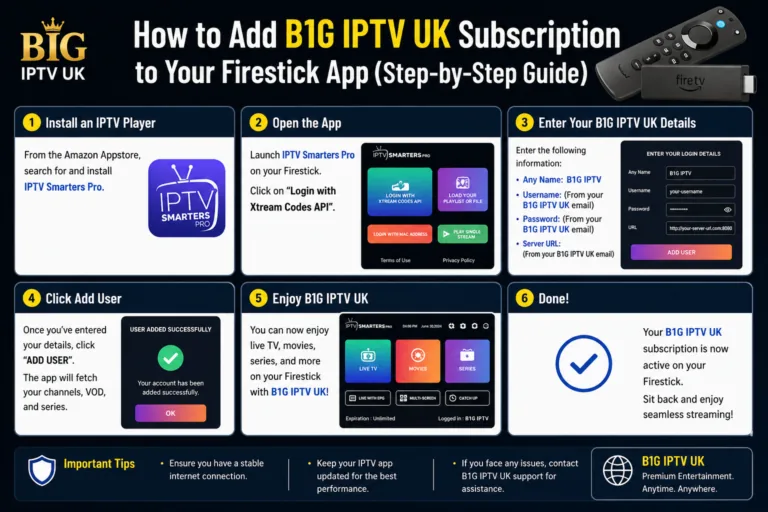
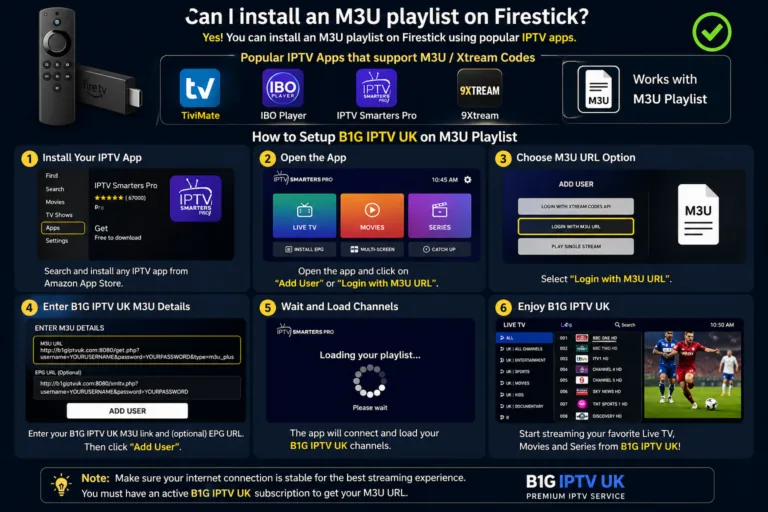
7. Use a High-Quality IPTV Player
Some IPTV players perform better than others.
Top options include:
- TiviMate
- IPTV Smarters
- XCIPTV
A better player can reduce freezing significantly.
8. Adjust Player Settings
Inside your IPTV app:
- Increase buffer size
- Switch decoder (hardware/software)
- Enable adaptive streaming
These tweaks can stabilize playback.
9. Try a VPN (or Turn It Off)
If you’re using a VPN:
- Switch to a closer server
- Choose a faster protocol
If you’re not using one:
- Try a premium VPN to bypass ISP throttling
10. Reduce Network Load
Too many devices using the internet can slow things down.
Fix:
- Disconnect unused devices
- Avoid streaming on multiple devices simultaneously
11. Keep Your Firestick Cool
Prevent overheating:
- Keep it ventilated
- Use HDMI extender
- Avoid placing behind TV tightly
12. Reinstall IPTV App
If nothing works, reinstall your IPTV app.
This clears corrupted data and resets settings.
Advanced Fixes (For Persistent Freezing)
If you’re still experiencing freezing, try these advanced solutions:
Change DNS Settings
Using faster DNS servers (like Google DNS) can improve streaming performance.
Reset Firestick (Last Resort)
Factory reset your Firestick if all else fails.
⚠️ Warning: This deletes all apps and data.
Contact IPTV Provider
If only specific channels freeze, the issue may be server-side.
Reach out to B1G IPTV UK support to check:
- Server status
- Channel availability
- Maintenance updates
Tips to Prevent Freezing in the Future
Consistency is key. Follow these habits:
- Keep apps updated
- Clear cache weekly
- Restart Firestick regularly
- Use stable internet
- Avoid overloading your device
When Freezing Is NOT Your Fault
Sometimes, freezing happens even if everything is perfect on your end.
Possible external reasons:
- Server maintenance
- High traffic (live sports events)
- Channel source issues
In these cases, waiting or switching channels is the only solution.
Final Thoughts
Freezing on B1G IPTV UK with Firestick can feel frustrating, but it’s usually caused by a few common issues—most of which are easy to fix.
In most cases, the problem comes down to:
- Internet quality
- Device performance
- App configuration
By following the steps in this guide, you can eliminate freezing and enjoy smooth, uninterrupted streaming.