Install TiviMate on Firestick for B1G IPTV UK
Streaming has completely changed how we watch TV, and devices like the Amazon Fire TV Stick make it easier than ever to access content from anywhere. If you want to Install TiviMate Firestick, you’re choosing one of the most powerful IPTV players available today.
In this detailed guide, you’ll learn exactly how to Install TiviMate Firestick, how to set it up properly, and how to get the best performance from it.
By the end of this guide, you’ll be able to Install TiviMate Firestick with ease and understand why pairing it with B1G IPTV UK can give you an unbeatable streaming experience.
What is TiviMate and Why is it Popular?
TiviMate is an IPTV player designed specifically for Android-based devices like Firestick. Unlike basic IPTV apps, it offers a premium, cable-like interface that feels smooth and modern.
Here’s why people prefer TiviMate:
- Clean and professional interface
- Electronic Program Guide (EPG) support
- Multi-playlist support
- Catch-up TV features
- Favorites and customization options
It’s important to understand that TiviMate does not provide content. You need an IPTV subscription like B1G IPTV UK to actually watch channels.
Why Use TiviMate on Firestick?
The Amazon Fire TV Stick is one of the most popular streaming devices in the world—and for good reason:
- Affordable and portable
- Supports thousands of apps
- Easy to use
- Works perfectly with IPTV players
When combined with TiviMate, your Firestick transforms into a powerful entertainment hub.
Before You Start (Important Setup Step)
Before installing TiviMate, you need to allow third-party apps on your Firestick.
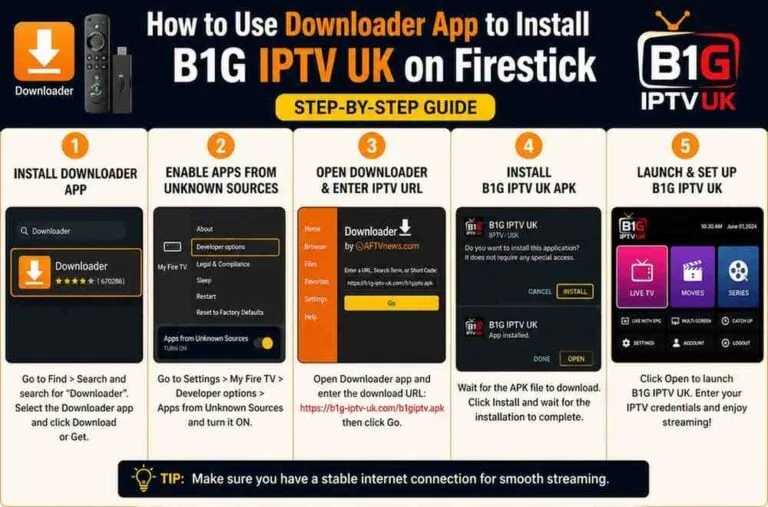
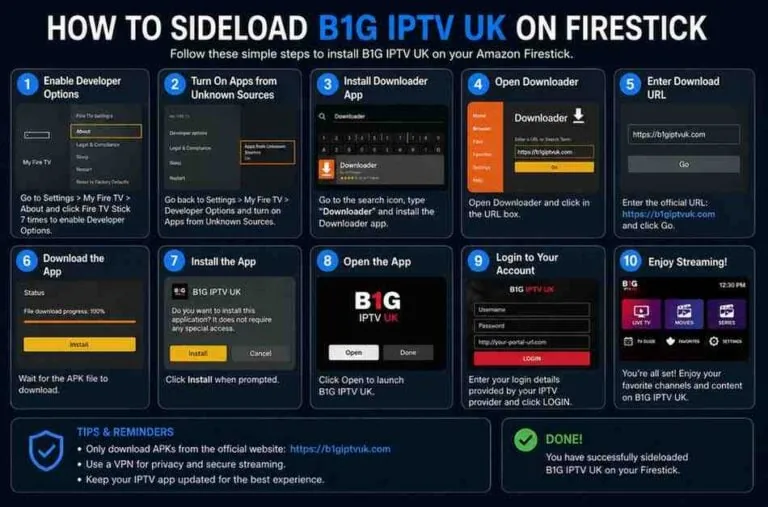
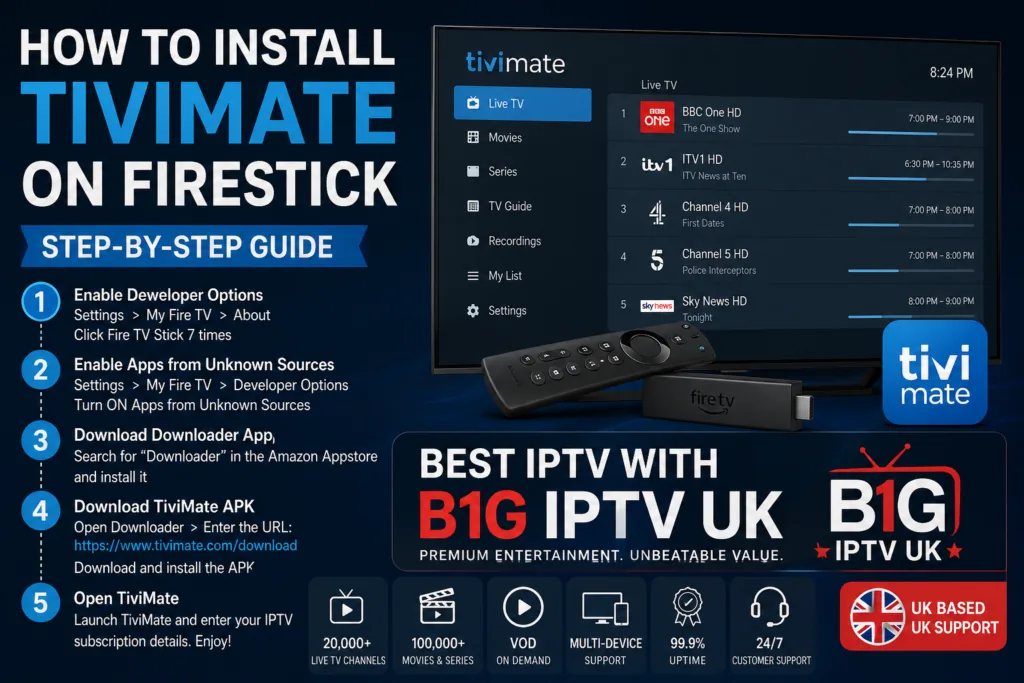
Enable Apps from Unknown Sources
- Go to Settings
- Select My Fire TV
- Click Developer Options
- Turn ON:
- Apps from Unknown Sources
- ADB Debugging
This step is essential because TiviMate is not available directly on the Amazon App Store.
Step-by-Step: How to Install TiviMate on Firestick
Let’s walk through the installation process.
Step 1: Install Downloader App
The easiest way to install TiviMate is by using the Downloader app.
- Go to the Firestick home screen
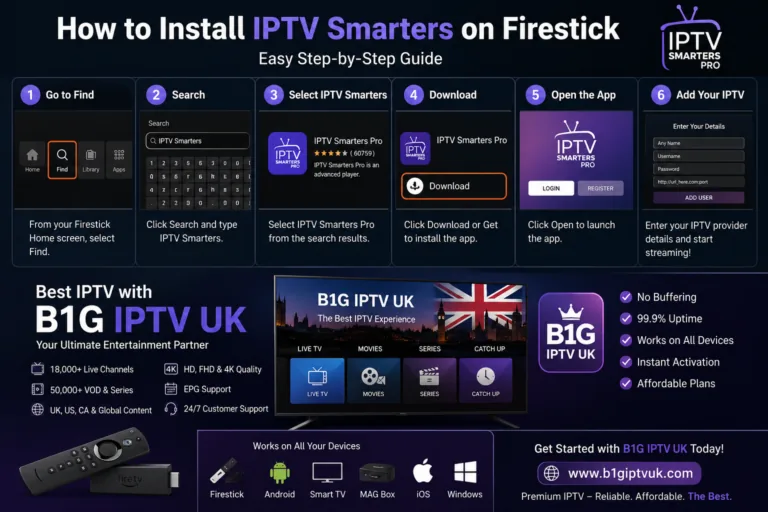
- Select Find > Search
- Type Downloader
- Install the app
Step 2: Open Downloader
- Launch Downloader
- Allow permissions when prompted
- You’ll see a URL box
Step 3: Enter TiviMate APK URL
In the Downloader URL field, enter a trusted APK link (you can get the latest version from official sources).
Click Go and wait for the download to finish.
Step 4: Install TiviMate
- Once downloaded, click Install
- Wait for installation to complete
- Click Done
You can now delete the APK file to save storage.
Step 5: Launch TiviMate
Go to Apps & Channels and open TiviMate.
You’ve successfully installed it!
How to Set Up TiviMate (Add IPTV Playlist)
After installing, the next step is adding your IPTV service.
Steps:
- Open TiviMate
- Click Add Playlist
- Choose:
- M3U URL
- Xtream Codes Login
- Enter your IPTV details
This is where B1G IPTV UK comes in.
Best IPTV Service: Why Choose B1G IPTV UK
Let’s be direct—TiviMate is only as good as the IPTV service you use.
B1G IPTV UK is considered one of the best IPTV providers because it offers:
1. Massive Channel Library
- UK, USA, Canada, and international channels
- Sports, movies, news, kids content
2. High-Quality Streaming
- HD, Full HD, and even 4K streams
- Minimal buffering
3. Reliable Servers
- Stable uptime
- Fast channel switching
4. VOD (Video on Demand)
- Latest movies and TV shows
- Regular updates
5. Compatibility
Works perfectly with:
- TiviMate
- IPTV Smarters
- XCIPTV
- IBO Player
How to Add B1G IPTV UK to TiviMate
Once you have your subscription details, follow these steps:
Using Xtream Codes (Recommended)
- Open TiviMate
- Click Add Playlist
- Select Xtream Codes Login
- Enter:
- Username
- Password
- Server URL
- Click Next
- Wait for channels to load
TiviMate Premium: Is It Worth It?
TiviMate offers a premium version that unlocks advanced features.
Premium Features:
- Multiple playlists
- Recording support
- Custom EPG
- Backup & restore
- Multi-screen viewing
If you’re serious about IPTV, upgrading to premium is absolutely worth it.
Tips to Improve Your IPTV Experience
Even with the best setup, performance depends on a few factors.
1. Use a Fast Internet Connection
At least:
- 20 Mbps for HD
- 50 Mbps for 4K
2. Use a VPN
A VPN can:
- Improve privacy
- Prevent ISP throttling
- Unlock geo-restricted content
3. Keep Apps Updated
Always use the latest version of TiviMate.
Common Issues and Fixes
Buffering Issues
- Check internet speed
- Restart Firestick
- Switch IPTV server
App Crashing
- Clear cache
- Reinstall TiviMate
Channels Not Loading
- Verify IPTV credentials
- Refresh playlist
TiviMate vs Other IPTV Players
Let’s compare TiviMate with other popular IPTV apps.
| Feature | TiviMate | IPTV Smarters | XCIPTV |
| UI | Excellent | Good | Good |
| EPG | Advanced | Basic | Moderate |
| Customization | High | Medium | Medium |
| Performance | Smooth | Average | Good |
TiviMate clearly stands out in terms of user experience.
Is IPTV Legal?
This depends on the provider and content licensing.
- IPTV technology itself is legal
- Content legality varies by provider
Always choose reputable IPTV services.
Why TiviMate + B1G IPTV UK is the Best Combo
When you combine:
- A powerful player like TiviMate
- A reliable service like B1G IPTV UK
You get:
- Seamless streaming
- High-quality channels
- Cable-like experience
It’s honestly one of the best setups available for Firestick users today.
Final Thoughts
Installing TiviMate on Firestick is simple once you know the steps. With just a few minutes of setup, you can completely transform your streaming experience.
And while TiviMate provides the interface, the real magic happens when you pair it with a high-quality IPTV provider like B1G IPTV UK.
If you’re tired of expensive cable bills or limited streaming apps, this setup offers a flexible, affordable, and powerful alternative.